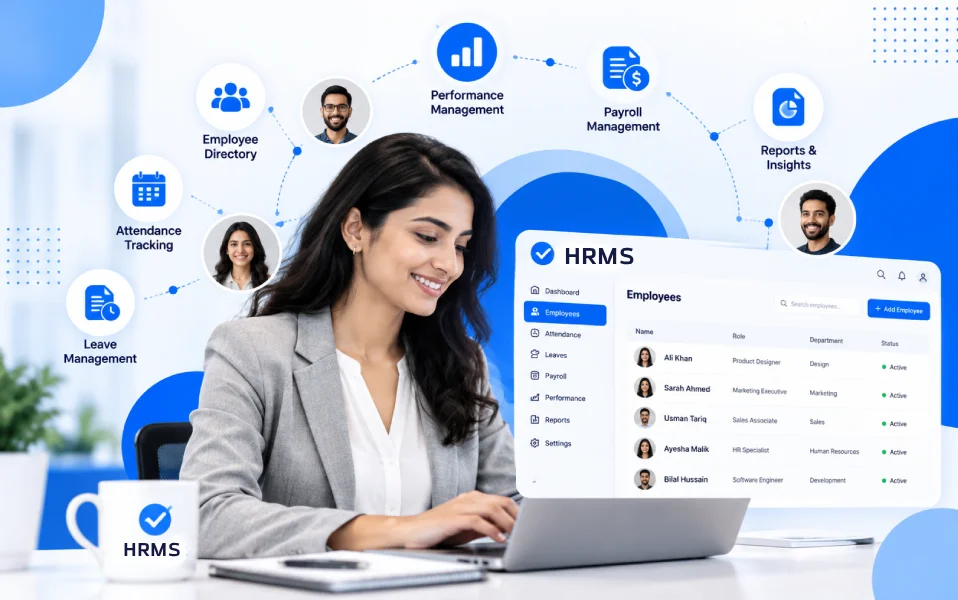
Managing human resources becomes increasingly complicated as a company grows. What starts with a few employee spreadsheets, attendance registers, and manual payroll calculations can quickly turn into an overwhelming administrative process.
Growing businesses need to manage recruitment, on-boarding, employee records, attendance, leave requests, payroll, performance reviews, and workforce productivity while maintaining accuracy and compliance.
Without an effective Human Resource Management System, businesses may face duplicated employee information, payroll discrepancies, inconsistent HR processes, and limited workforce visibility.
This is where HR Management Software (HRMS) becomes essential.
Modern HRMS platforms help companies centralize employee information, automate repetitive HR tasks, streamline workforce administration, and make better decisions using real-time data.
However, choosing the best HR management software in 2027 is not straightforward. Some solutions focus on payroll and benefits, while others specialize in workforce productivity, employee engagement, international hiring, or enterprise human capital management.
The right choice depends on your company’s size, budget, industry, location, and operational requirements.
In this guide, we compare 15 HR management software solutions for growing companies, including StaffViz, BambooHR, Rippling, Gusto, Zoho People, and other established HR platforms.
We examine their key features, advantages, disadvantages, pricing structures, and ideal business use cases to help you make an informed decision.
Table of Contents
What Is HR Management Software (HRMS)?
HR Management Software (HRMS) is a digital platform that helps businesses organize, automate, and manage human resource operations throughout the employee lifecycle.
It provides a centralized environment for maintaining employee records, managing attendance, processing payroll, handling leave requests, coordinating recruitment, and analyzing workforce performance.
Instead of maintaining different spreadsheets and disconnected applications, HR teams can use an integrated system to access employee information and manage HR workflows.
A typical HR management system may include:
- Employee information management
- Recruitment and on-boarding
- Attendance and time tracking
- Leave and absence management
- Payroll processing or integration
- Shift and workforce scheduling
- Performance management
- Employee training and development
- Employee self-service
- HR analytics and reporting
Different vendors offer different combinations of these features, and some require additional subscriptions.
For a deeper explanation, read What Is HR Management Software? A Complete Guide.
Why Growing Companies Need HR Management Software in 2027
As businesses expand, manual HR processes become harder to maintain.
An organization managing 20 employees may be able to handle administrative tasks using basic tools. However, managing 200 or 500 employees across different departments, shifts, and locations requires more structured processes.
Here are the major benefits of adopting HRMS software.
Centralized Employee Information
HRMS platforms provide a single location for employee profiles, employment records, organizational structures, and important documents.
Centralized employee records reduce duplication and make workforce information easier to maintain.
Reduced Administrative Workload
HR automation software can simplify repetitive activities such as on-boarding checklists, attendance reconciliation, leave approvals, and report generation.
This gives HR teams more time to focus on recruitment, workforce development, and employee engagement.
Improved Payroll Accuracy
Payroll calculations often depend on accurate attendance records, approved leave, overtime, and compensation information.
Integrated systems can reduce manual data transfers and help organizations identify discrepancies before processing salaries.
Better Workforce Visibility
Modern HR software provides dashboards and reports covering headcount, attendance, employee movement, productivity, and other workforce indicators.
This helps business leaders make more informed operational decisions.
Improved Employee Experience
Employee self-service capabilities allow staff to access HR information, submit leave requests, and update authorized personal details.
Digital workflows can also improve communication between employees and HR teams.
Scalable HR Operations
As businesses hire additional employees or open new locations, scalable HR management solution helps maintain consistent workforce administration processes.
Top 15 HR Management Software for Growing Companies in 2027: Quick Comparison
The table below provides an overview of the HRMS solutions covered in this guide.
| HRMS Software | Best For | Standout Features | Starting Pricing |
|---|---|---|---|
| 1. StaffViz | Growing businesses needing HR, time tracking, and workforce visibility | HR records, attendance, payroll, productivity monitoring, project tracking | Custom quote |
| 2. BambooHR | Small and midsize businesses | Employee management, on-boarding, performance, HR reporting | From $10/employee/month; plan and employee-count conditions apply |
| 3. Rippling | Businesses combining HR and IT management | HR automation, device management, payroll, app provisioning | Custom quote; entry pricing commonly reported around $8/employee/month plus base fee |
| 4. Gusto | US small businesses prioritizing payroll | Payroll, benefits, on-boarding, HR administration | $49/month + $6/person |
| 5. Zoho People | Budget-conscious teams | Employee records, leave, workflows, attendance | Free limited tier; paid pricing varies by region and billing term |
| 6. Deel | Global and remote teams | Global HR, contractor management, international employment | Deel HR Core from $5/employee/month |
| 7. HiBob (Bob) | Growing mid-market companies | People analytics, performance, engagement, on-boarding | Custom quote |
| 8. Factorial | SMBs seeking modular HR tools | Core HR, time tracking, recruitment, expenses | From $8/user/month |
| 9. ADP Workforce Now | Growing companies needing payroll depth | HR, payroll, benefits, talent, compliance tools | Custom quote |
| 10. Paycor | US businesses prioritizing HR and payroll | Payroll, workforce management, recruiting, analytics | Custom quote |
| 11. Paylocity | Mid-sized businesses | HR, payroll, employee engagement, workforce management | Custom quote |
| 12. UKG Ready | Shift-based and hourly workforce | Time, scheduling, payroll, HR, talent | Custom quote |
| 13. Sage HR | Small and growing organizations | Leave, performance, time-sheets, shift scheduling | Core HR from approximately $5.50/employee/month |
| 14. Personio | European small and midsize businesses | Core HR, recruiting, workflows, employee management | Custom quote |
| 15. Workday HCM | Larger, complex, scaling organizations | Core HCM, talent, analytics, workforce planning | Custom quote |
Pricing information reflects publicly available vendor information and pricing references reviewed in October 2027. Prices may vary by country, billing frequency, employee count, additional modules, taxes, and negotiated terms. Reported entry prices do not necessarily include every feature listed.
1. StaffViz HR Management Software — Best for Integrated Workforce Management and Productivity Visibility
Website: StaffViz HR Management Software
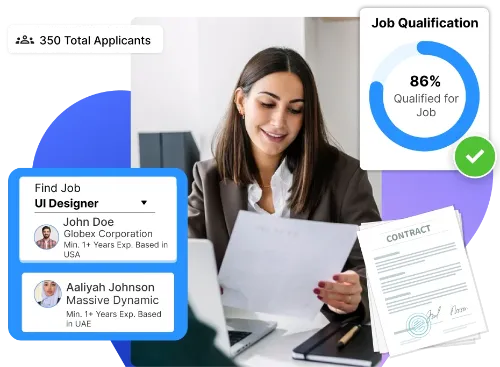
StaffViz is an HR and workforce management platform designed to help organizations manage employees, track working hours, oversee attendance, coordinate tasks, and improve workforce visibility.
For growing companies, managing HR administration alongside daily workforce operations can become complicated when employee data, attendance, productivity, payroll, and project information exist in separate systems.
StaffViz brings these functions into a connected software environment.
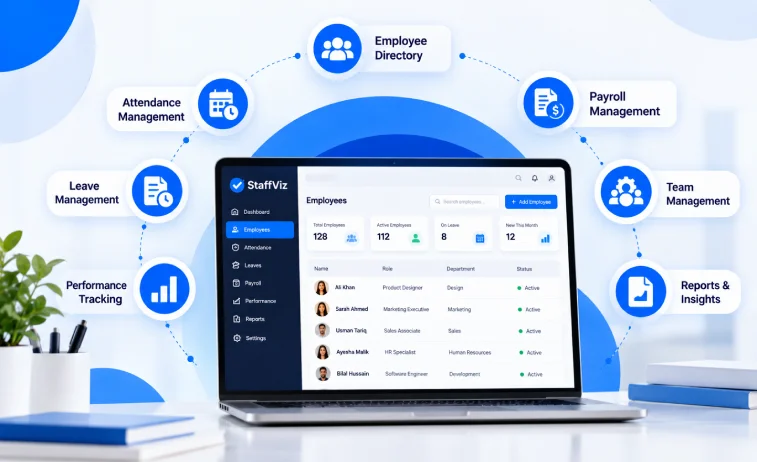
Its capabilities span HR management, employee on-boarding and off-boarding, attendance tracking, payroll management, employee training, time tracking, project management, and workforce reporting.
The platform also offers solutions for different work environments, including desk-based, field-based, and floor-based employees.
This makes StaffViz worth evaluating for companies whose HR requirements extend beyond employee record keeping into day-to-day workforce operations.
Key Features of StaffViz HR Management Software
1. Centralized Employee Management
StaffViz provides a centralized employee database for maintaining employee profiles, departments, job roles, reporting relationships, documents, and employment information.
HR managers can access organized workforce records without relying on disconnected spreadsheets.
2. Employee On-boarding and Off-boarding
The platform supports employee on-boarding workflows involving document collection, task assignments, training coordination, and manager approvals.
Its off-boarding functionality helps organizations coordinate employee exits, documentation, clearances, and relevant access changes.
3. Attendance and Time Tracking
StaffViz offers attendance tracking and time management features that help organizations record employee working hours, review attendance patterns, and manage time-sheets.
4. Payroll Management
The platform includes payroll and salary processing features, including compensation rules, allowances, deductions, and payroll-related reporting.
Businesses should confirm support for the payroll regulations applicable to their locations.
5. Shift and Break Scheduling
StaffViz supports shift management and workforce scheduling, making it relevant to companies operating flexible schedules or multiple shifts.
6. Employee Productivity Monitoring
Its workforce management capabilities include productivity reporting, activity monitoring, and work-time visibility.
These features can be useful for organizations that need to understand how working hours are allocated across assignments.
7. Project and Task Management
StaffViz provides project and task management functionality that can help managers connect employee time with assignments, projects, and client work.
8. Mobile Workforce Tracking
Mobile capabilities support time logging, attendance, tasks, and location-related workflows for authorized field employees.
9. Workforce Analytics and Reporting
Reporting features help managers review attendance, working hours, workforce activity, and productivity trends.
10. Employee Training Management
StaffViz includes training-related functionality for managing courses, assignments, and employee learning progress.
Pros of StaffViz
- Combines HR administration with operational workforce management.
- Offers attendance, time tracking, payroll, and productivity-related capabilities.
- Supports desk-based, field-based, and floor-based work environments.
- Provides project and task management functionality alongside HR features.
- Includes on-boarding, off-boarding, and employee training tools.
- Supports workforce reporting for managers and administrators.
- Can be particularly relevant to BPOs, service companies, and organizations managing distributed teams.
Cons of StaffViz
- Public pricing is not presented as a simple fixed per-employee rate.
- Businesses must request a quote to understand their full subscription costs.
- Its broad workforce monitoring functionality may be unnecessary for companies seeking only a basic employee database.
- Organizations should assess privacy requirements and employee communication policies before enabling detailed activity monitoring.
- Prospective buyers should verify required integrations, regional payroll support, and implementation details during a demonstration.
StaffViz Pricing in 2027
StaffViz uses a personalized pricing approach based on workforce requirements.
Its pricing page allows organizations to select workforce types, estimated employee counts, and billing preferences.
The published billing options include monthly, quarterly, six-monthly, and annual commitments, with advertised discounts for longer billing periods.
However, a universally applicable public per-employee subscription price is not displayed.
Pricing: Custom quotation.
Visit StaffViz Pricing Plans for current options.
Who Should Choose StaffViz?
StaffViz may be a suitable option for:
- Growing small and midsize businesses
- BPO and outsourcing companies
- Digital marketing and IT service agencies
- Remote and hybrid teams
- Companies managing multiple shifts
- Businesses needing employee time and productivity reporting
- Organizations managing desk, field, and operational workforce
Verdict: StaffViz stands out in this comparison for combining HR management with time tracking, workforce activity visibility, project management, and payroll-related workflows. It deserves consideration from growing companies that want HR information connected to everyday work operations.
Explore more: StaffViz Features | StaffViz Resources and Guides
2. BambooHR — Best for Small and Midsize HR Teams
Website: BambooHR
BambooHR is a well-established HR management platform focused on making employee administration and people operations easier for small and midsize businesses.
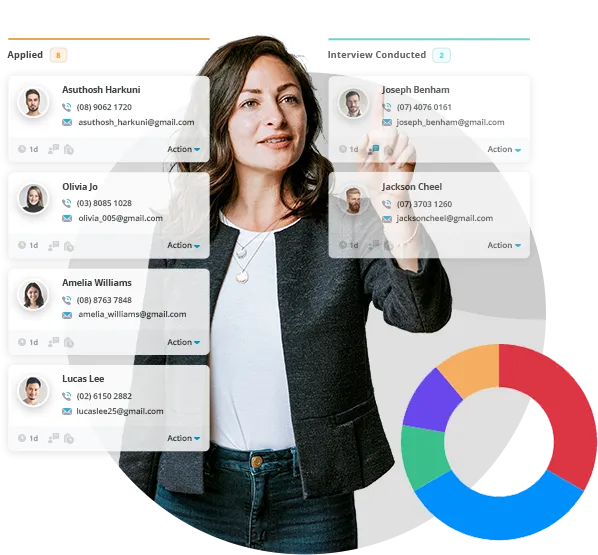
It provides tools for employee records, hiring, on-boarding, time-off administration, performance management, and HR reporting.
Its tiered platform allows businesses to adopt foundational HR tools and expand into more advanced people management features.
Key Features
- Centralized employee database
- Recruitment and applicant tracking
- Employee on-boarding workflows
- Digital document management
- Leave and time-off tracking
- Performance management on eligible plans
- Employee experience tools
- Custom HR reports
- Payroll and benefits capabilities through applicable products and add-ons
- Integration marketplace
Pros
- Comprehensive core HR functionality.
- Particularly suitable for companies formalizing HR processes.
- Strong on-boarding and employee information management capabilities.
- Multiple plans for businesses with different HR requirements.
- Reporting tools support workforce administration.
Cons
- Payroll and benefits can increase total subscription costs.
- Advanced performance and analytics capabilities require higher tiers.
- Some features and payroll services are geographically limited.
- Costs can increase as headcount grows.
BambooHR Pricing in 2027
The vendor’s pricing page advertises the following plan levels:
- Core: From $10 per employee/month.
- Pro: From $17 per employee/month.
- Elite: From $25 per employee/month.
Its detailed FAQ also lists slightly different applicable rates and flat monthly packages for companies with 25 or fewer employees. Buyers should confirm the precise quotation, applicable discounts, and add-ons.
Best For: Small and midsize businesses that prioritize structured HR records, recruitment, on-boarding, and employee experience.
Verdict: BambooHR is a strong HR-first option, particularly when payroll is not the sole purchasing requirement.
3. Rippling — Best for Integrated HR, IT, and Payroll Automation
Website: Rippling
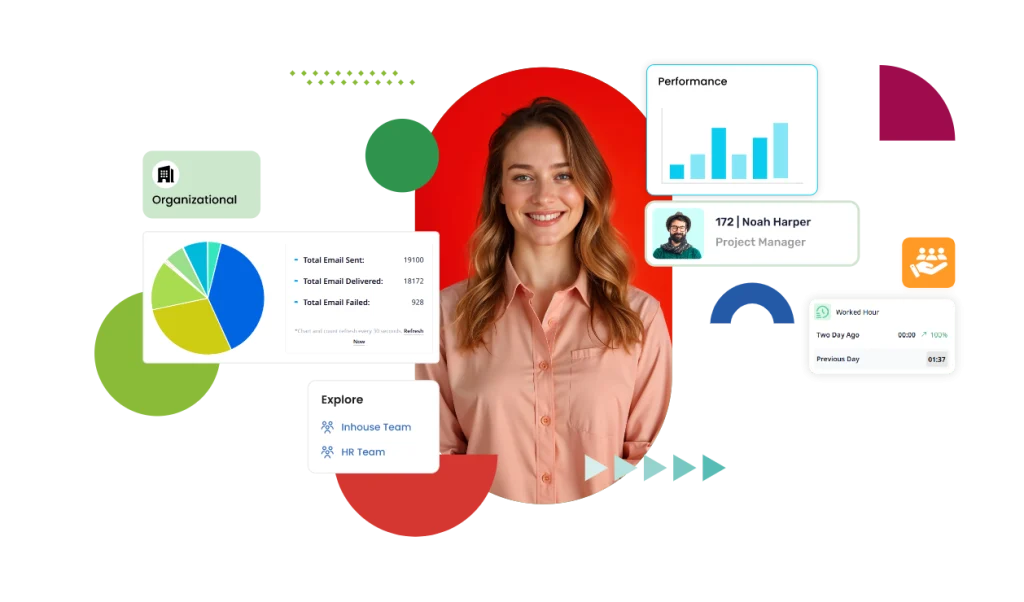
Rippling combines HR management with IT administration and additional business operations capabilities.
Its major differentiator is the ability to coordinate employee-related workflows across systems, including on-boarding, payroll, application access, and device administration.
This makes it relevant for growing companies where HR and IT tasks frequently overlap.
Key Features
- Employee records and organizational management
- Employee on-boarding and off-boarding
- Payroll services
- Time and attendance
- Benefits administration
- Workflow automation
- Employee device management
- Application access provisioning
- Reporting and analytics
- Integration capabilities
Pros
- Combines HR and IT workflows.
- Useful for technology-driven and distributed organizations.
- Can automate employee-related administrative tasks across departments.
- Flexible selection of modules.
- Supports complex on-boarding and off-boarding requirements.
Cons
- Modular pricing can make total costs harder to estimate.
- Multiple add-ons may be needed for a complete solution.
- Configuration may require more planning than simpler HR systems.
- Availability of payroll services depends on location.
Rippling Pricing in 2027
Rippling generally uses customized pricing.
Third-party pricing references frequently cite entry-level HR pricing around $8 per employee per month, plus a monthly platform fee.
However, that figure should not be treated as a guaranteed quote or the price of the complete HR, payroll, and IT suite.
Pricing: Request a customized quote.
Best For: Growing technology companies, distributed teams, and businesses seeking integrated HR and IT operations.
Verdict: Rippling is a compelling option when employee administration, device access, and business application management need to work together.
4. Gusto — Best for Payroll and HR Management for US Small Businesses
Website: Gusto
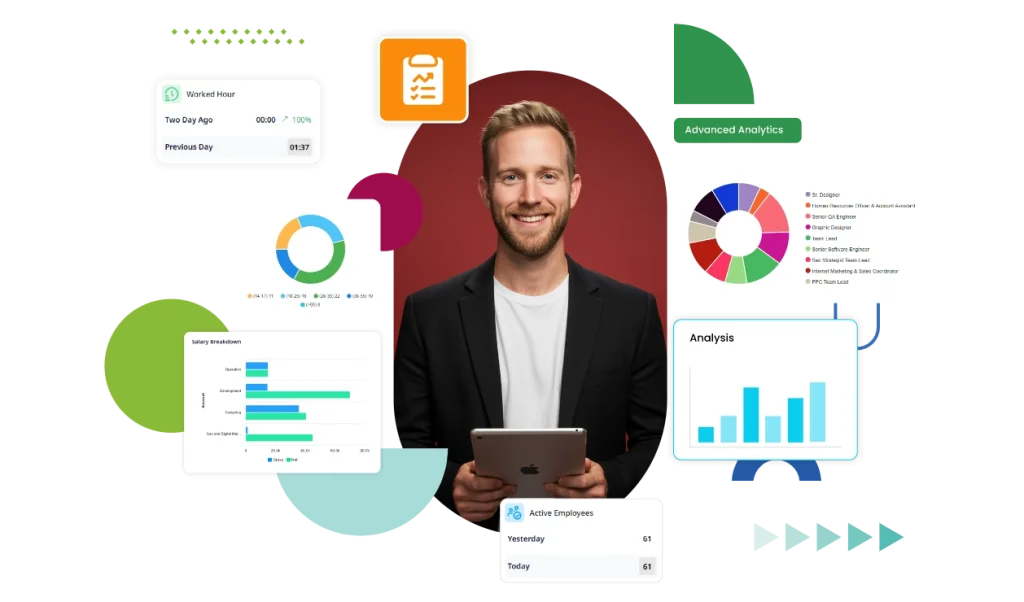
Gusto is a payroll-focused HR platform serving small and growing businesses, particularly in the United States.
It combines payroll processing with employee on-boarding, benefits administration, and essential HR workflows.
For companies prioritizing payroll accuracy and everyday HR administration, Gusto offers a comparatively straightforward starting point.
Key Features
- Payroll processing
- Payroll tax calculations and filings
- Employee on-boarding
- Benefits administration
- Paid time off management
- Time tracking on eligible plans
- Contractor payments
- Employee self-service
- Payroll reporting
- HR guidance on higher-tier plans
Pros
- Transparent public pricing.
- Strong payroll-first approach.
- Suitable for small businesses formalizing payroll operations.
- Combines payroll, benefits, and HR administration.
- Offers higher-tier plans as business needs grow.
Cons
- Most suitable for US payroll requirements.
- Advanced features require more expensive plans.
- Base monthly fees apply in addition to per-person charges.
- May not be the right fit for complex multinational HR operations.
Gusto Pricing in 2027
According to its published pricing:
- Simple: $49/month + $6/person/month.
- Plus: $80/month + $12/person/month.
- Premium: $180/month + $22/person/month.
Additional services may have separate charges.
Best For: US startups, small businesses, and companies that need payroll and essential HR functionality in one platform.
Verdict: Gusto is especially attractive for growing US companies whose biggest priority is simplifying payroll administration.
5. Zoho People — Best for Budget-Conscious Growing Businesses
Website: Zoho People
Zoho People is a cloud-based HR platform offering employee administration, attendance management, leave tracking, and workflow automation.
It is particularly relevant to small and medium businesses looking for configurable HR processes at a relatively accessible entry cost.
Companies already using Zoho business applications may also benefit from its broader ecosystem.
Key Features
- Employee information management
- Attendance tracking
- Leave management
- Workflow approvals
- Employee self-service
- Employee document management
- Performance management on applicable plans
- HR reporting
- Mobile access
- Integrations with Zoho applications
Pros
- Offers a limited free tier.
- Relatively affordable entry-level HR functionality.
- Configurable HR processes and workflows.
- Useful for businesses already using Zoho software.
- Supports gradual adoption of additional capabilities.
Cons
- Advanced functions depend on the selected plan.
- Configuration may require administrator training.
- Payroll capabilities vary by country and connected products.
- Buyers must compare regional and annual-versus-monthly pricing carefully.
Zoho People Pricing in 2027
Zoho People offers a limited free plan for very small teams.
Paid plan pricing varies by region, tier, and billing period. Published 2026 comparisons report entry-level paid tiers starting below $2 per employee per month in some annual-billing markets, with higher tiers costing more.
Pricing: Free limited tier; confirm the current regional plan price on Zoho’s official pricing page.
Best For: Startups, small businesses, and budget-conscious growing companies.
Verdict: Zoho People is worth evaluating when core HR automation and affordability matter more than specialized workforce monitoring.
6. Deel — Best for Global HR and International Workforce Management
Website: Deel
Deel focuses on HR management and international workforce operations.
It provides solutions for managing employee information, contractors, and cross-border employment arrangements.
For businesses expanding internationally, Deel can help coordinate workforce administration across different countries.
Must Read: Hiring Process Best Practices: 12 Ways to Hire Better in 2026
Key Features
- Centralized employee profiles
- Organizational charts
- Leave management
- Workflow automation
- People analytics
- Contractor management
- International payroll services
- Employer of Record (EOR) services
- Performance and learning capabilities on eligible tiers
- Global workforce reporting
Pros
- Particularly relevant for international businesses.
- Combines core HR with global employment services.
- Helps organize employee and contractor information.
- Modular capabilities support international expansion.
- Offers a published starting price for core HR.
Cons
- International payroll and EOR services are priced separately.
- Total costs may increase significantly with global employment services.
- Some advanced HR features require upgraded plans.
- May be more extensive than necessary for purely domestic businesses.
Deel Pricing in 2027
- Deel HR Core: From $5 per employee/month.
- Advanced and Elite HR: Higher-tier pricing depends on selected capabilities.
- Contractor, payroll, and EOR services: Separate pricing applies.
Best For: Remote-first companies, international businesses, and organizations hiring employees or contractors across borders.
Verdict: Deel is a strong choice when the biggest HR challenge is managing employees and contractors internationally.
7. HiBob (Bob) — Best for Employee Experience and Mid-Market People Operations
Website: HiBob
HiBob, commonly known through its Bob platform, focuses on modern HR operations and employee experience.
It is designed for growing organizations that need structured employee information, performance processes, engagement tools, and workforce insights.
Key Features
- Centralized employee records
- On-boarding and off-boarding
- Time-off management
- Employee engagement tools
- Performance reviews
- Compensation-related workflows
- HR analytics
- Organizational reporting
- Workflow automation
- Integrations with business applications
Pros
- Strong focus on employee experience.
- Supports structured performance and engagement programs.
- Useful for growing, multi-office organizations.
- Provides people analytics and reporting.
- Suitable for teams investing in strategic HR functions.
Cons
- Pricing requires a sales quotation.
- Additional modules may increase costs.
- Implementation may be more involved than basic HR software.
- Smaller companies may not need its full range of capabilities.
HiBob Pricing in 2027
Pricing: Custom quote, typically influenced by employee count, selected modules, and implementation requirements.
Best For: Mid-sized businesses, expanding technology companies, and organizations prioritizing employee engagement and people management.
Verdict: HiBob is attractive to companies moving beyond basic HR administration toward structured employee experience and talent programs.
8. Factorial — Best for Modular HR Management
Website: Factorial
Factorial is an HR management platform designed to simplify employee administration and workforce-related business processes.
It offers modular functionality across HR, time management, recruitment, finance, and other operational areas.
Key Features
- Employee directory
- On-boarding and off-boarding
- Document management
- Digital signatures
- Leave management
- Time tracking
- Shift scheduling
- Recruitment management
- Performance reviews
- Expense management
- Project management capabilities
Pros
- Modular platform supports gradual expansion.
- Combines HR with selected financial and operational workflows.
- Offers time tracking and scheduling capabilities.
- Includes recruitment and employee lifecycle tools.
- Published starting price helps initial budget planning.
Cons
- Add-on modules affect total pricing.
- Feature availability varies by package.
- Regional payroll availability should be confirmed.
- Companies requiring many modules may face higher costs.
Factorial Pricing in 2027
Factorial advertises pricing starting at $8 per user/month, with tailored quotes based on the chosen functionality.
Best For: Small and midsize organizations seeking configurable HR, scheduling, recruitment, and operational tools.
Verdict: Factorial is worth considering for businesses that prefer a modular HR platform rather than a fixed, all-inclusive package.
9. ADP Workforce Now — Best for Payroll-Intensive Growing Companies
Website: ADP Workforce Now
ADP Workforce Now is an integrated human capital management platform serving businesses with increasingly complex HR and payroll requirements.
Its offerings include payroll, employee management, benefits, time management, and talent-related capabilities.
Key Features
- Employee records
- Payroll processing
- Tax-related payroll services
- Time and attendance
- Benefits administration
- Talent management
- HR reporting
- Employee self-service
- Compliance-related tools
- Integration capabilities
Pros
- Broad payroll and HR capabilities.
- Suitable for organizations with more demanding payroll requirements.
- Combines several workforce administration functions.
- Offers reporting and integration options.
- Established provider with an extensive product ecosystem.
Cons
- Public package pricing is limited.
- Total costs depend on selected services.
- Setup and configuration may require dedicated planning.
- Feature availability differs across packages and markets.
ADP Workforce Now Pricing in 2027
Pricing: Custom quote based on employee count, services, company requirements, and implementation scope.
Best For: Growing and mid-sized businesses that need substantial payroll and HR functionality.
Verdict: ADP Workforce Now is a strong option when payroll administration and related compliance processes are central purchasing priorities.
10. Paycor — Best for Integrated HR, Payroll, and Talent Management
Website: Paycor
Paycor provides human capital management software combining payroll processing with employee administration, workforce management, recruiting, and talent functions.
It is primarily suited to organizations operating within the United States.
Key Features
- Payroll processing
- Employee information management
- Time and attendance
- Workforce scheduling
- Recruitment tools
- On-boarding
- Performance management
- HR reporting
- Benefits administration
- Employee self-service
Pros
- Combines payroll with broader HR functionality.
- Useful for organizations formalizing talent and workforce processes.
- Offers recruiting and on-boarding capabilities.
- Supports payroll and employee data reporting.
- Can accommodate growing operational requirements.
Cons
- Pricing is not consistently published as a simple standard rate.
- Features depend on the selected package.
- International payroll suitability is limited.
- Implementation and additional functionality can affect total cost.
Paycor Pricing in 2027
Pricing: Custom quotation.
Best For: US-based growing businesses seeking integrated payroll, workforce management, and talent administration.
Verdict: Paycor deserves consideration from companies that want payroll and employee lifecycle functions in a connected solution.
11. Paylocity — Best for Mid-Sized Businesses Seeking HR and Payroll Integration
Website: Paylocity
Paylocity offers cloud-based HR and payroll capabilities, with additional functionality for employee engagement, time management, and organizational workflows.
It is relevant to growing companies seeking a broad employee management platform.
Key Features
- Employee records
- Payroll processing
- Time and labor management
- Benefits administration
- Employee engagement tools
- Recruiting and on-boarding
- Performance management
- HR analytics
- Workflow automation
- Employee self-service
Pros
- Broad combination of HR and payroll tools.
- Employee engagement features distinguish it from payroll-only products.
- Provides workforce and people reporting capabilities.
- Supports several stages of the employee lifecycle.
- Suitable for mid-sized organizations.
Cons
- Vendor-specific quotes are required.
- Package complexity can make comparisons difficult.
- Advanced capabilities may require additional subscriptions.
- Buyers should verify service coverage outside the US.
Paylocity Pricing in 2027
Pricing: Custom quotation based on workforce requirements and chosen products.
Best For: Mid-sized US businesses prioritizing payroll, workforce management, and employee experience.
Verdict: Paylocity is a good platform to shortlist when HR departments want both administrative capabilities and employee engagement functionality.
12. UKG Ready — Best for Shift-Based and Hourly Workforces
Website: UKG Ready
UKG Ready combines HR, payroll, time, and workforce management capabilities.
It is particularly relevant to organizations managing hourly employees, variable schedules, and detailed attendance requirements.
Key Features
- Employee information management
- Time and attendance
- Workforce scheduling
- Payroll
- Leave administration
- Talent management
- Employee self-service
- Labor reporting
- Workflow automation
- Workforce analytics
Pros
- Strong focus on time and workforce management.
- Relevant to businesses with hourly or shift-based employees.
- Integrates HR and payroll-related processes.
- Supports workforce scheduling and attendance visibility.
- Suitable for operationally complex organizations.
Cons
- Custom pricing limits upfront cost transparency.
- Implementation can be more involved for complex workforce rules.
- Some functionality depends on product configuration.
- Smaller organizations may not require all available capabilities.
UKG Ready Pricing in 2027
Pricing: Custom quotation.
Best For: Shift-based businesses, service organizations, manufacturing operations, and growing companies with hourly workforce.
Verdict: UKG Ready is worth evaluating when attendance, scheduling, and workforce administration are as important as traditional HR management.
13. Sage HR — Best for Flexible HR Management in Small Businesses
Website: Sage HR
Sage HR is designed to help small and growing businesses manage common HR processes through a modular platform.
Its capabilities include employee records, leave management, performance, time-sheets, and shift scheduling.
Key Features
- Employee database
- Leave management
- Employee self-service
- Time-sheets
- Shift scheduling
- Performance management
- Recruitment capabilities
- Expense-related workflows
- HR reporting
- Mobile accessibility
Pros
- Modular features allow businesses to select relevant capabilities.
- Suitable for organizations formalizing HR processes.
- Relatively accessible entry pricing.
- Leave management and time-sheet tools support everyday administration.
- Can fit businesses that do not need enterprise HCM software.
Cons
- Additional modules increase subscription costs.
- Functionality differs across packages.
- Payroll options and integrations depend on regional availability.
- Larger businesses may require more sophisticated enterprise features.
Sage HR Pricing in 2027
Third-party 2026 pricing references place entry-level Core HR and leave-related packages at approximately $5.50 per employee/month, depending on region and plan configuration.
Pricing: Confirm current regional pricing and additional module costs with Sage.
Best For: Small businesses and growing companies requiring essential HR administration and time management.
Verdict: Sage HR is a reasonable shortlist candidate for businesses that prefer a relatively straightforward, modular HR solution.
14. Personio — Best for Growing European Companies
Website: Personio
Personio is an HR platform primarily serving small and midsize organizations in Europe.
It focuses on centralizing employee information, simplifying HR workflows, and supporting the employee lifecycle.
Key Features
- Employee records
- Recruitment and applicant tracking
- Employee on-boarding
- Leave management
- Time tracking
- Performance management capabilities
- HR workflow automation
- Employee document management
- Reporting and analytics
- Integration options
Pros
- Relevant to European HR administration requirements.
- Broad employee lifecycle functionality.
- Supports recruitment and on-boarding.
- Centralizes common HR workflows.
- Appropriate for companies building structured HR operations.
Cons
- Custom pricing makes initial cost comparison difficult.
- Product availability and functionality vary by market.
- Additional modules may increase costs.
- May be less relevant to companies operating exclusively outside supported regions.
Personio Pricing in 2027
Pricing: Custom quotation, depending on employee count, product configuration, and company needs.
Best For: European small and midsize businesses seeking centralized HR and employee lifecycle management.
Verdict: Personio is a practical HRMS candidate for European businesses with growing administrative requirements.
15. Workday HCM — Best for Larger Companies with Complex HR Requirements
Website: Workday HCM
Workday Human Capital Management is an enterprise-oriented platform designed to support complex workforce administration, talent management, and organizational planning.
It provides advanced capabilities for organizations managing large and diverse workforce.
While it may exceed the needs of many small businesses, it can be relevant to rapidly scaling companies anticipating substantial organizational complexity.
Key Features
- Core employee management
- Organizational structures
- Talent management
- Recruiting
- Employee learning
- Performance and compensation management
- Workforce planning
- People analytics
- Payroll capabilities and integrations
- Workflow automation
Pros
- Comprehensive enterprise HR functionality.
- Strong workforce planning and analytics capabilities.
- Suitable for complex organizational structures.
- Supports extensive talent management processes.
- Scalable for larger enterprises.
Cons
- Typically involves a more substantial implementation effort.
- Pricing requires a custom sales process.
- May be too complex for small teams.
- Implementation, training, and configuration can increase total costs.
- Businesses may require specialized administrators or consulting support.
Workday HCM Pricing in 2027
Pricing: Custom enterprise quotation.
Total cost depends on workforce size, selected modules, implementation complexity, integrations, and service arrangements.
Best For: Large organizations, established enterprises, and scaling businesses with complex global HR requirements.
Verdict: Workday HCM is best considered by organizations that need sophisticated human capital management rather than basic HR administration.
HRMS Comparison: Which Software Is Best for Your Company?
The best HR management software depends on the operational problems your organization needs to solve.
| Business Requirement | HRMS Solutions Worth Evaluating |
|---|---|
| HR management with productivity and time visibility | StaffViz |
| Core HR and employee on-boarding | BambooHR |
| HR and IT automation | Rippling |
| US payroll and benefits | Gusto |
| Low-cost core HR | Zoho People |
| International hiring and contractors | Deel |
| Employee engagement and people analytics | HiBob |
| Modular HR and business operations | Factorial |
| Payroll-intensive HR operations | ADP Workforce Now |
| HR, payroll, and talent workflows | Paycor |
| Employee engagement and payroll | Paylocity |
| Hourly employees and shift scheduling | UKG Ready |
| Essential modular HR tools | Sage HR |
| European HR operations | Personio |
| Enterprise-scale HCM | Workday HCM |
These selections reflect the vendors’ different product strengths, not a universal ranking of product quality.
How Much Does HR Management Software Cost in 2027?
HR management software pricing varies considerably.
Most providers use one or more of the following models.
Per-Employee Monthly Pricing
Companies pay a recurring amount for each employee managed in the system.
For example, a platform priced at $10 per employee per month would cost approximately $1,000 monthly for 100 employees before additional fees.
Base Fee Plus Per-Employee Pricing
Some vendors charge a fixed monthly platform fee alongside a variable employee charge.
Gusto is an example of this approach.
Modular Pricing
Businesses purchase a core HR platform and add separate modules for payroll, performance management, recruitment, or workforce scheduling.
This allows flexibility but can make total costs less predictable.
Custom Enterprise Pricing
Vendors provide customized proposals according to workforce size, company structure, integrations, and service requirements.
Additional HRMS Costs to Consider
Subscription fees are only part of the budget.
Businesses should also evaluate:
- Implementation and configuration
- Employee data migration
- Administrator training
- Payroll and benefits add-ons
- Third-party integrations
- Support packages
- Minimum employee commitments
- Contract renewal terms
- Data export and cancellation conditions
Example: HRMS Cost for a 100-Employee Company
Suppose a growing company purchases a software subscription at $10 per employee per month.
Monthly subscription:
100 × $10 = $1,000
Annual subscription:
$1,000 × 12 = $12,000
If initial implementation and training cost an additional $2,000, the hypothetical first-year expense becomes:
$14,000
This example illustrates the calculation method and does not represent a complete quotation from any particular vendor.
Essential Features to Consider Before Choosing HRMS Software
Comparing product prices alone is not enough.
Growing companies should evaluate HRMS solutions according to their current and future requirements.
1. Employee Information Management
A centralized employee database should support employment records, documents, departments, reporting relationships, and organizational changes.
Read more about employee record management and essential HR documentation.
2. Attendance and Time Tracking
Businesses with hourly, remote, or shift-based employees should prioritize accurate time recording, attendance exceptions, and reporting.
3. Payroll Management
Consider whether the system provides built-in payroll or integrates with an established payroll provider.
Verify support for the jurisdictions where employees are paid.
4. Recruitment and On-boarding
Growing organizations should assess hiring workflows, applicant tracking, document collection, on-boarding checklists, and training assignments.
5. Shift and Leave Management
Companies operating multiple schedules should evaluate leave policies, attendance rules, holiday calendars, shift assignments, and approval workflows.
6. Performance Management
Performance features can help organizations manage employee evaluations, development goals, feedback, and workforce reporting.
7. Employee Self-Service
Self-service functionality can reduce repetitive HR requests and give employees access to approved information.
8. Workforce Reporting and Analytics
Reporting should provide relevant insights into employee headcount, attendance, workforce changes, and labor costs.
9. Security and Access Controls
Look for appropriate data protection practices, role-based permissions, multifactor authentication, audit logs, and secure record retention.
10. Integration and Scalability
Evaluate how the software connects with payroll, finance, recruitment, workforce management, and other existing business applications.
The right system should be able to support the organization’s expected growth.
Must Read: What is Human Resources (HR)? Definition, Roles & Responsibilities
How to Choose the Best HR Management Software for a Growing Company
Selecting HRMS software requires a structured evaluation process.
Step 1: Identify Your Biggest HR Challenges
Begin by identifying whether your organization struggles most with employee records, payroll, attendance, hiring, leave management, workforce planning, or productivity visibility.
Step 2: Determine Essential Features
Separate essential requirements from optional capabilities.
A company operating rotating shifts may prioritize attendance and scheduling, while a professional services organization may need project time tracking and workforce reporting.
Step 3: Establish Your Budget
Calculate the expected total cost over multiple years.
Consider subscriptions, implementation, integrations, training, and growth in employee numbers.
Step 4: Shortlist Suitable Vendors
Select platforms that serve organizations with similar workforce sizes, locations, and operational requirements.
Step 5: Request Product Demonstrations
Ask vendors to demonstrate actual workflows rather than relying on product descriptions.
For example, test employee on-boarding, leave approval, attendance correction, payroll reporting, and employee transfers.
Step 6: Evaluate Usability
Consider whether HR administrators, team managers, and employees can use the platform without excessive training.
Step 7: Review Security and Compliance
Confirm how the vendor protects employee information and whether the platform supports relevant regulatory requirements.
Step 8: Evaluate Implementation Support
Review the provider’s on-boarding process, data migration assistance, training, and support commitments.
Step 9: Compare Real Costs
Request written quotes showing all required modules, setup charges, support fees, and contract terms.
Step 10: Choose a Platform That Supports Growth
Select software that can accommodate future hiring, additional offices, changes in working arrangements, and new HR requirements.
Common Mistakes to Avoid When Buying HRMS Software
Choosing Only Based on Price
The cheapest subscription may not provide the features needed to solve your company’s operational problems.
Purchasing Too Many Features
Expensive capabilities are not valuable if employees and managers do not use them.
Ignoring Integration Requirements
Disconnected systems may create duplicate data entry and additional reconciliation work.
Overlooking Employee Adoption
HR software requires employee and manager participation.
Choose a system with practical workflows and provide sufficient training.
Failing to Verify Payroll Coverage
Payroll availability differs by country and product.
Never assume an HRMS can manage local statutory payroll requirements without confirmation.
Underestimating Data Migration
Incomplete employee records can reduce reporting accuracy and create administrative difficulties after deployment.
Neglecting Data Security
HR platforms store sensitive employee information.
Security, permissions, and data handling practices should be evaluated before purchasing.
Conclusion: Find the Right HRMS to Support Business Growth in 2027
Choosing the best HR management software for growing companies requires more than comparing product features and monthly subscription prices.
The right platform should address your organization’s immediate HR challenges while supporting future expansion.
BambooHR provides structured employee administration, Gusto emphasizes payroll simplicity, Rippling connects HR with IT, Deel focuses on international employment, and Workday offers extensive enterprise capabilities.
StaffViz is particularly worth considering for organizations that want HR management connected with employee time tracking, attendance, payroll-related workflows, project management, and workforce productivity visibility.
Its combination of HR and operational workforce features makes it relevant to growing service businesses, outsourcing companies, remote teams, and organizations managing different working environments.
Before purchasing any HRMS solution, identify your essential requirements, compare total costs, request product demonstrations, and evaluate how well each platform fits your business workflows.
Frequently Asked Questions
1. What is the best HR management software in 2027?
2. What is the difference between HRMS and HRIS?
3. How much does HR management software cost?
4. Is StaffViz suitable for growing businesses?
5. Which HRMS software is best for small businesses?
6. Can HRMS software automate payroll?
7. Which HRMS software is best for remote teams?
8. Which HR management software is best for BPO companies?
9. Is cloud-based HR management software secure?
10. What features should growing companies prioritize in HRMS?
11. How long does HRMS implementation take?
12. Can HRMS software improve employee productivity?